

It’s Sunday evening, and you’re scrolling through your phone—again. You have 47 browser tabs open, 127 unread emails, a camera roll bursting with duplicates, and apps you haven’t touched since 2023. Your phone feels as chaotic as your mind, and honestly? They’re feeding off each other.
Research from the University of California found that we touch our phones an average of 2,617 times per day. That’s not just a physical action—it’s a constant pull on our mental energy. When your digital space is cluttered, it creates what psychologists call “cognitive load,” which basically means your brain is working overtime just to process the chaos.
Your Sunday prep ritual shouldn’t just be about meal prep and laying out your Monday outfit. A digital declutter deserves a spot on that list, too. Think of it as spring cleaning for your phone—except you can do it year-round, and it takes about 30 minutes instead of an entire weekend.
Why Digital Clutter Affects Your Mental Clarity
We don’t often think about our phones as physical spaces, but your brain treats them like one. Every notification, every unopened app, every screenshot you took six months ago that you’ll “get to eventually”—they all take up mental real estate.
According to research published in the Journal of Consumer Research, physical clutter produces the same stress response in your brain as digital clutter. Your nervous system doesn’t distinguish between a messy desk and a messy phone. It registers both as incomplete tasks competing for your attention.
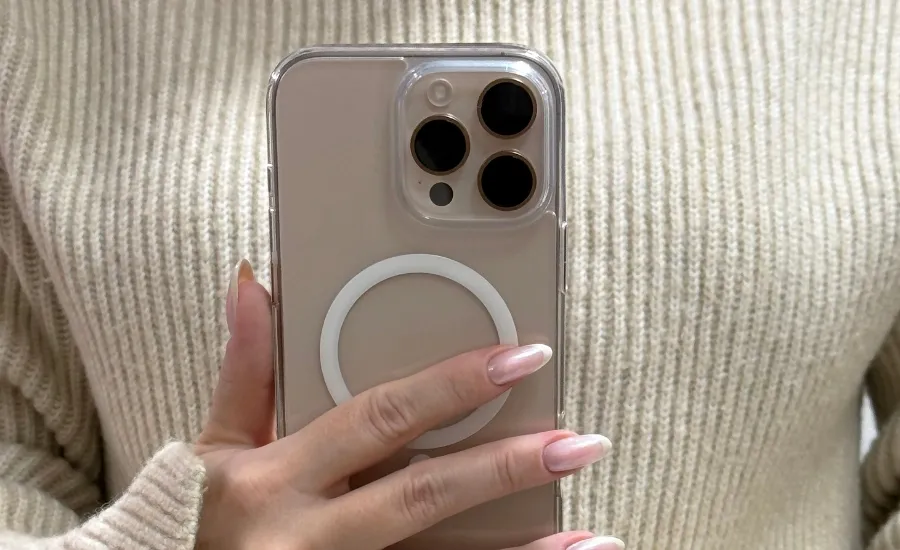
The constant visual noise of digital disorder creates decision fatigue. Should you delete this? Archive that? Respond now or later? Every micro-decision drains your willpower, leaving less mental energy for the things that actually matter—like that presentation you need to nail on Tuesday or having an actual conversation with your partner at dinner.
The Sunday Digital Reset Routine
This routine takes about 30 minutes and transforms your phone from a source of stress into an actual tool. Pour yourself a cup of tea, put on a good playlist, and let’s get started.
Delete Unused Apps (10 minutes)
Start by checking your screen time settings. Most phones have a feature that shows you which apps you haven’t used in weeks or months. If you haven’t opened it in 30 days and it’s not seasonal (like a tax app), it’s taking up valuable space.
Be ruthless. That meditation app you downloaded with the best intentions? If you haven’t used it by now, you won’t. Delete it. Same goes for those three different to-do list apps, the workout program you tried once, and whatever that random game is that your phone suggested six months ago.
Pro tip: if you’re worried about deleting something you might need later, remember that you can always re-download apps. Your purchase history is tied to your account, so you won’t lose anything except the clutter.
Organize Your Home Screen (5 minutes)
Your home screen should contain only the apps you use daily. Everything else can live in folders or on secondary screens. Think of your home screen like your kitchen counter—only the essentials should be visible.
Create intentional folders:
- Work: Email, calendar, Slack, work-specific apps
- Finance: Banking, budgeting, investment apps
- Wellness: Fitness trackers, meditation, health apps
- Entertainment: Streaming, reading, games
- Social: Instagram, TikTok, messaging apps
Bonus points if you arrange these folders so the ones you want to use less (ahem, social media) require an extra swipe to access. Out of sight, slightly more out of mind.
Clear Your Camera Roll (10 minutes)
Your camera roll is probably a disaster. Screenshots of recipes you’ll never make (guilty as charged!), 17 versions of the same selfie, blurry photos from that concert last year—it all adds up. Not just in storage space, but in the mental overhead of scrolling past digital debris every time you want to find an actual photo.
Set a timer for 10 minutes and start deleting:
- Screenshots you’ve already acted on or that are no longer relevant
- Duplicate or nearly identical photos
- Blurry or accidental photos
- Memes you’ve already sent to your group chat
- Photos of receipts or temporary information you’ve already logged
For screenshots you want to keep (like recipes or apartment inspiration), create albums to organize them. Most phones let you create custom albums, so make one for recipes, one for home decor ideas, one for workout routines—whatever makes sense for your life.
Email and Messages Maintenance (5 minutes)
You don’t need to achieve inbox zero (that’s a myth anyway), but you can make your email less overwhelming with a quick Sunday scan.
Unsubscribe from at least three email lists you no longer read. If you’ve been deleting emails from a sender without opening them for the past month, it’s time to hit unsubscribe.
For text messages, delete old conversations that are just taking up space. That back-and-forth with the delivery driver from three weeks ago? Gone. Group chats from events that already happened? Archive them.
Even clearing 20 emails and three old message threads makes your digital space feel lighter.
Making the Habit Stick
A one-time digital declutter feels amazing, but the real magic happens when it becomes a weekly ritual. Your Sunday reset should be as automatic as your morning coffee.
Stack it with something you already do. Maybe it’s during your Sunday afternoon beverage, while you’re waiting for your meal prep to finish cooking, or as part of your evening wind-down routine. Habit stacking—pairing a new habit with an established one—is backed by behavioral psychology research and significantly increases the likelihood you’ll actually do it.
Set a weekly reminder on your phone. Yes, the irony of using your phone to remind you to clean your phone isn’t lost on anyone, but it works. Sunday at 7 pm? Perfect. Add it to your calendar as a recurring event.
Maintaining Digital Clarity Throughout the Week

Your Sunday declutter sets the foundation, but small daily habits keep the chaos from building back up.
The One-Minute Rules
- Delete photos immediately after taking them if they’re blurry or unnecessary. That extra second right after you snap the photo saves you minutes of cleanup later.
- When you finish with a screenshot, either save it to the appropriate album or delete it. Leaving screenshots in limbo is how you end up with 400 random images cluttering your camera roll.
- Unsubscribe the moment you realize you’re not reading emails from a sender. Don’t just delete—scroll down and hit unsubscribe. It takes five seconds now instead of five minutes every Sunday.
Set Digital Boundaries
A clean phone is great, but it’s even better when paired with healthier digital habits. Consider implementing some boundaries that protect both your time and your mental energy.
Turn off non-essential notifications. You don’t need to know every time someone likes your Instagram post or when that sale at your favorite store starts. Keep notifications for texts, calls, and genuinely time-sensitive work apps. Everything else can wait.
Use focus modes or do-not-disturb during specific times. Many phones now have customizable focus modes that limit which apps can send notifications during work hours, personal time, or sleep. Set them up once, and they run automatically.
Designate phone-free zones in your home. Maybe it’s your bedroom after 9 pm, or the dinner table, or the first hour after you wake up. Physical separation from your device reduces the constant pull to check it.
The Bigger Picture: Digital Wellness as Self-Care
Here’s what most productivity advice gets wrong: digital decluttering isn’t just about having an organized phone. It’s about reclaiming your attention, reducing decision fatigue, and creating space for the things that actually matter.
Research found that the average human attention span has decreased from 12 seconds in 2000 to 8 seconds today—shorter than a goldfish. Our phones aren’t solely responsible, but they’re definitely not helping. Every cluttered screen, every unnecessary notification, every moment of digital overwhelm chips away at our ability to focus on what we actually care about.
When you clear your digital space, you’re not just deleting apps and photos. You’re choosing to value your mental energy. You’re acknowledging that your cognitive resources are finite and worth protecting. You’re making a statement that your attention deserves better than constant digital noise.
You don’t need to completely overhaul your digital life in one Sunday evening. Pick one section of this guide—maybe just the camera roll cleanup—and do that. Next Sunday, tackle your apps. The following week, organize your home screen.
Progress beats perfection every time. A slightly more organized phone is better than a chaotic one, even if it’s not an Instagram-worthy minimalist. The goal is sustainable clarity, not unsustainable perfection.
Your Sunday reset ritual is about setting yourself up for success in the week ahead. A clean phone means fewer distractions, less decision fatigue, and more mental space for the things that actually move your life forward. That’s not just productivity—that’s self-care.